
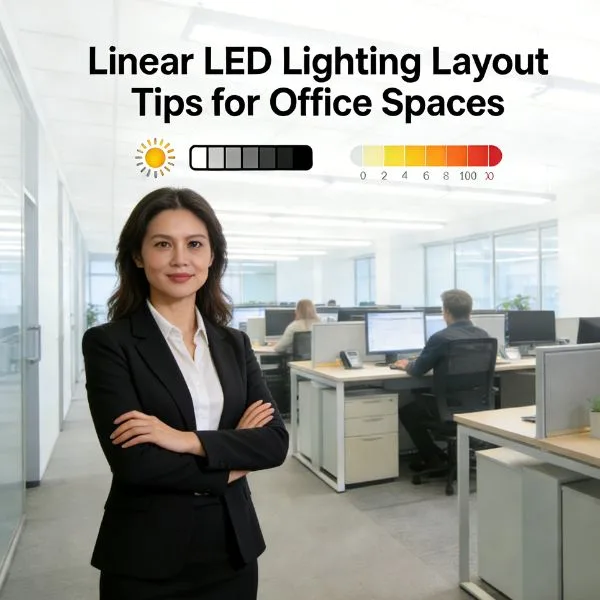
Are you struggling to figure out exactly how to choose office lighting for your workspace?
You might already know that bad lighting crushes employee productivity and causes daily headaches…
But what actually makes a good office lighting setup?
Well, you’re in for a treat because I’ve put together a complete, step-by-step guide.
As a workspace expert, I know that moving away from harsh overheads and investing in low glare light fixtures can completely transform your office’s mood, ergonomics, and daily output.
In this post, you’re going to learn the exact framework for building a perfect lighting design plan.
From mastering color temperature and balancing natural daylight to choosing the right energy efficient LED bulbs from Prillumenlight, it’s all here.
So if you want to reduce screen glare, eliminate eye strain, and create a comfortable environment your team actually loves, this guide is for you.
Understanding the Three Layers of Office Lighting
Creating a productive workspace requires more than just a single overhead fixture. I approach lighting design by layering three distinct types of illumination to balance functionality, comfort, and aesthetics. This strategy eliminates harsh shadows and reduces the eye strain that often leads to midday fatigue.
Ambient Lighting for General Illumination
Ambient lighting serves as the foundation of your workspace. It provides a uniform level of brightness throughout the room, ensuring that employees can move safely and feel comfortable in the environment. To achieve a professional look, I prioritize fixtures that mimic natural daylight to keep the energy high and the atmosphere inviting.
- Recessed downlights: Ideal for a clean, modern ceiling appearance.
- LED panel lights: Perfect for wide, even distribution in open-plan offices.
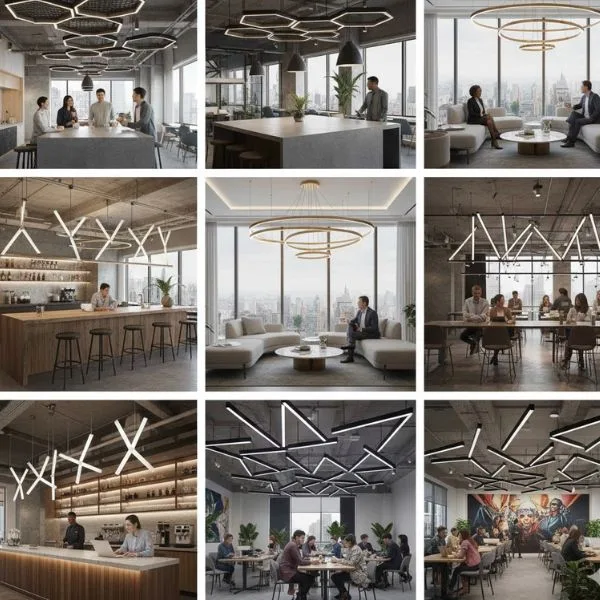
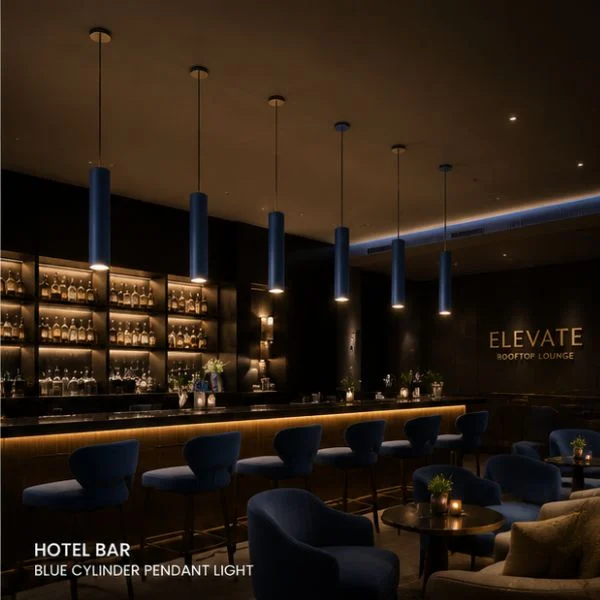
- Pendant lights: Excellent for high ceilings to bring the light source closer to the functional area.
Task Lighting for Focused Work
General lighting is rarely enough for detail-oriented tasks like reading documents or typing. Task lighting provides concentrated light exactly where it is needed, which is essential for maintaining employee productivity. By adding a dedicated light source to a desk, you can reduce screen glare and prevent the headaches associated with squinting.
- Adjustable desk lamps: Allow users to direct light according to their specific needs.
- Under-cabinet LED strips: Provide shadow-free illumination for cubicles and shelving units.
- Dimmable fixtures: Give employees control over their immediate environment to suit different times of day.
Accent Lighting for Visual Interest
The final layer is about character and branding. Accent lighting draws attention to specific architectural features, artwork, or company logos. It adds depth to the room, preventing the “flat” look common in many commercial spaces.
| Lighting Layer | Primary Purpose | Common Fixtures |
|---|---|---|
| Ambient | Overall visibility | Panel lights, overhead fixtures |
| Task | Precision and focus | Desk lamps, floor lamps |
| Accent | Style and depth | Track lighting, wall sconces |
Using this layered lighting approach ensures every corner of the office is functional while maintaining a high-end, professional aesthetic.
Key Technical Factors for Choosing Office Lighting
When I evaluate how to choose office lighting, I focus on the technical specifications that directly impact employee performance and health. It is not just about brightness; it is about creating an environment where the eyes can relax while the mind stays sharp.
Color Temperature (Kelvins) and Workplace Mood
The color of light, measured in Kelvins (K), sets the tone for the entire office. Choosing the wrong temperature can either make staff feel sluggish or overly agitated.
- 4000K – 5000K (Cool White): This range mimics natural daylight and is the industry standard for high-focus areas. It suppresses melatonin, keeping the team alert.
- 3000K – 3500K (Warm White): Ideal for lounges or “soft” meeting spaces where a relaxed, welcoming atmosphere is preferred.
Light Intensity and Brightness (Lux/Lumens)
Getting the intensity right prevents eye strain. We measure the light falling on a surface in Lux. For a standard desk setup, aim for 500 Lux. If the work involves fine details or technical drawing, this should increase to 750 Lux.
| Area Type | Recommended Lux Level | Goal |
|---|---|---|
| General Office | 500 Lux | Balanced focus and comfort |
| Corridors/Halls | 100 – 150 Lux | Safe movement |
| Detailed Tasks | 750+ Lux | High precision and clarity |
Glare Reduction and Visual Comfort (UGR)
Glare is a major cause of headaches and “screen fatigue.” I always prioritize fixtures with a Unified Glare Rating (UGR) of less than 19. This ensures that light is directed where it’s needed without bouncing off monitors or causing discomfort. Implementing a professional lighting design plan is the best way to calculate these levels and ensure every workstation is optimized for visual comfort.
Energy Efficiency and Sustainable LED Solutions
Modern offices must be sustainable. Energy efficient LED bulbs are the only logical choice for commercial spaces. They offer several advantages over traditional fluorescent tubes:
- Longevity: LEDs last up to 50,000 hours, drastically reducing maintenance costs.
- Heat Control: They emit very little heat, which helps lower air conditioning loads.
- Instant On: No flickering or warm-up time, providing a stable light source the moment you walk in.
By focusing on these technical pillars, you ensure that your workspace is not just lit, but engineered for success. High-quality LED lighting for co-working spaces and corporate offices relies on balancing these factors to create a seamless user experience.
Selecting the Right Fixtures for Your Workspace
Choosing the right hardware is about balancing utility with aesthetics. We focus on fixtures that provide high-quality output while blending seamlessly into the architectural design of the office.
Recessed Downlights and LED Panel Lights
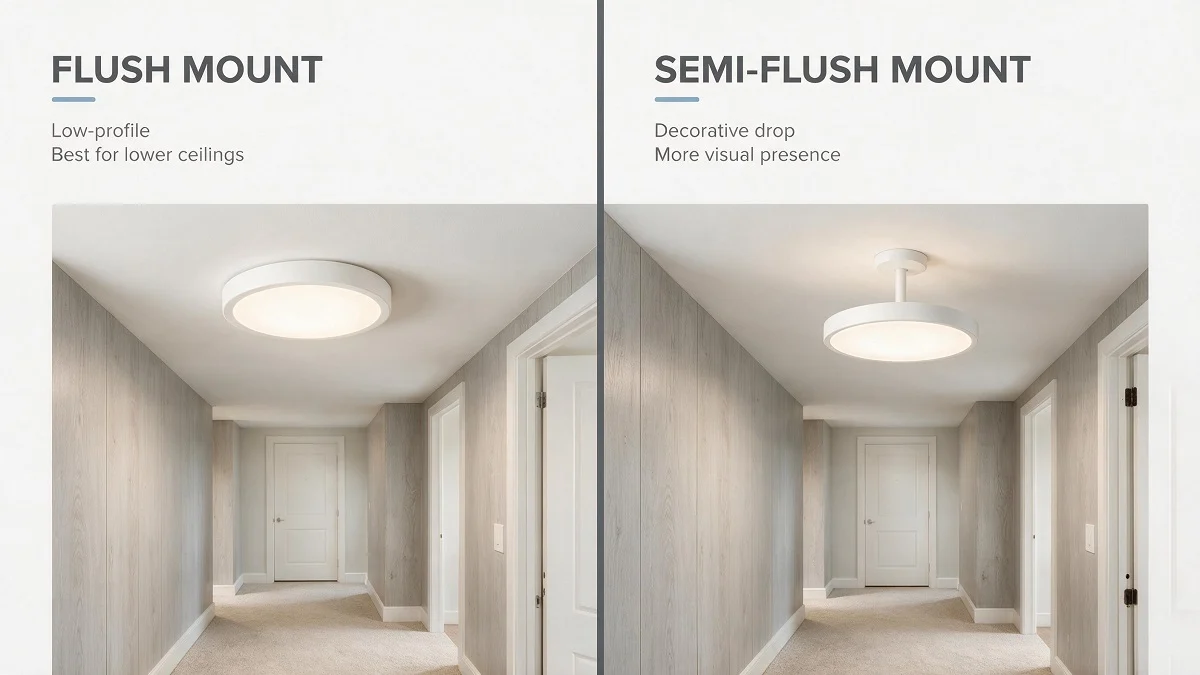
Recessed downlights and LED panel lights are the foundation of modern office design. These fixtures offer a clean, unobtrusive look that works perfectly in standard grid ceilings.
- Uniformity: Panel lights provide edge-to-edge illumination, eliminating dark spots across the room.
- Space-Saving: Since they are mounted flush, they are ideal for offices with lower ceiling heights where hanging fixtures might feel intrusive.
- Efficiency: High-performance LED chips ensure maximum brightness with minimal energy draw, keeping overhead costs low.
Pendant Lights and Suspended Linear Fixtures
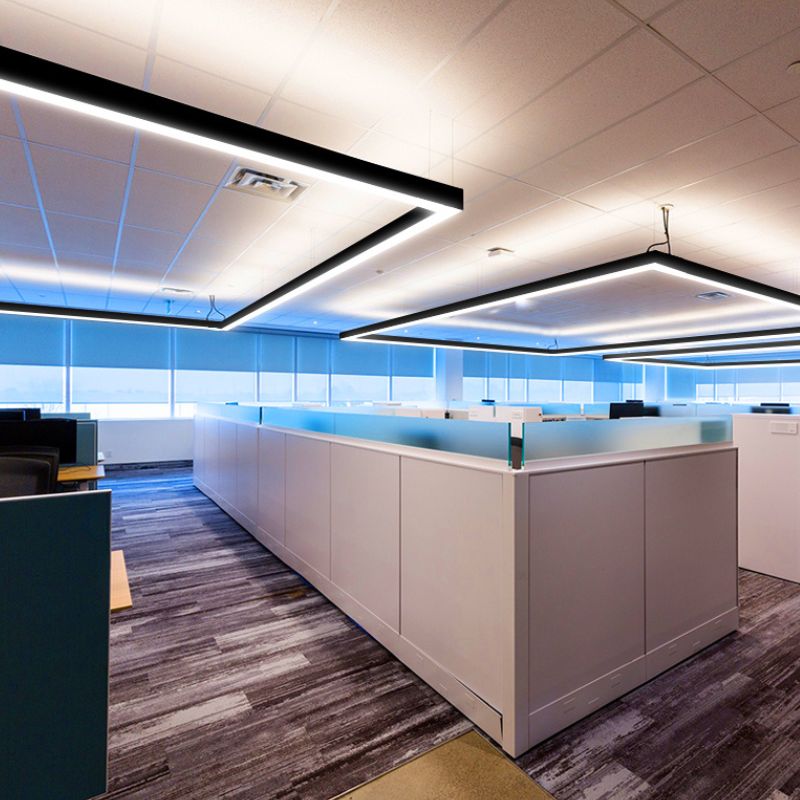
When we want to make a statement or handle high ceilings, we turn to commercial pendant lighting. These suspended linear fixtures bring the light source closer to the task area, which is crucial for maintaining focus and visual clarity. They are the preferred choice for open-plan layouts and collaborative zones where a modern, minimalist vibe is desired.
Indirect Lighting Solutions to Soften Shadows
To avoid harsh environments, we incorporate indirect lighting. This involves bouncing light off the ceiling or walls to create a soft, diffused glow rather than a direct beam.
- Glare Reduction: By hiding the direct light source, we significantly lower the glare rating, which protects the eyes during long shifts.
- Visual Comfort: Softened shadows make the workspace feel more natural and less like a sterile laboratory.
- Wall Washing: Using wall-mounted linear lights helps brighten vertical surfaces, making the entire room feel more expansive and inviting for employees and clients alike.
Tailoring the Lighting Design Plan to Specific Office Zones
A successful lighting design plan recognizes that different areas of your workspace serve entirely different purposes. When determining how to choose office lighting, applying a one-size-fits-all approach simply does not work. We always recommend matching the light directly to the activity happening in that specific space.
Optimizing Open-Plan Workspaces
Open offices require consistent, even illumination to maintain high employee productivity and reduce screen glare across multiple monitors.
- Prioritize uniform brightness: You want to avoid dark spots between desks. Installing hanging linear LED lighting provides a clean, modern aesthetic while delivering the broad ambient lighting needed for large collaborative spaces.
- Layer the light: Rely on overhead fixtures for general visibility, but provide individual desk lamps so employees can control their own task lighting.
Conference and Meeting Rooms
Flexibility is the absolute priority in meeting spaces. A room used for a high-energy strategy session in the morning might host a projector presentation in the afternoon.
- Install dimmable fixtures: Having control over light intensity allows you to instantly shift the room’s atmosphere.
- Zone the controls: Separate the lighting above the conference table from the perimeter lights to keep the room functional during video calls.
Relaxing Light for Breakrooms
Breakrooms and lounges are where your team goes to decompress. The lighting here should immediately signal a break from focused work.
- Shift the color temperature: Move away from the cool white light used in work zones and opt for warmer, softer tones.
- Use indirect lighting: Incorporate pendant lights or wall fixtures to create comfortable mood lighting that feels more like a coffee shop than a corporate building.
The Perfect Home Office Setup
Building a highly functional home office setup requires balancing residential comfort with professional focus.
- Maximize natural daylight: Position your desk near a window to boost your energy levels and establish a healthy daily rhythm.
- Add dedicated task lighting: An adjustable desk lamp is essential for reviewing documents without straining your eyes.
- Manage contrast: Ensure your general room lighting is bright enough to prevent harsh contrasts between your glowing computer monitor and a dark room, which is a primary cause of eye fatigue.
Lighting, Health, and Employee Productivity
Lighting does more than just illuminate a desk; it dictates how our bodies function throughout the workday. When we consider how to choose office lighting, we prioritize the biological impact on the team. Poorly planned light leads to eye strain and fatigue, while a thoughtful setup boosts employee productivity and mental clarity.
Circadian Rhythm and Natural Daylight Mimicry
Our internal clocks are sensitive to color shifts. By using fixtures that mimic natural daylight, we help maintain the body’s circadian rhythm.
- Morning Energy: Bright, cool light signals the brain to stay alert and focused.
- Afternoon Consistency: Stable, high-quality light prevents the dreaded 3 PM energy crash.
- Evening Transition: Warmer tones help the body prepare for rest after hours.
Combating Blue Light Fatigue and Midday Slumps
While blue light is effective for concentration, excessive exposure from screens and low-quality overheads causes significant visual fatigue. We design our systems to balance intensity and comfort. Proper installation for commercial applications ensures that light is distributed evenly, eliminating the harsh flickers that cause headaches.
- Flicker-Free Technology: Reduces neurological strain and keeps the mind sharp.
- Balanced Spectrum: Provides the benefits of “cool” light without the aggressive glare that leads to burnout.
- Smart Controls: Allows for adjusting brightness levels to match the time of day, keeping the workspace environment dynamic and healthy.
A professional lighting design plan treats light as a tool for wellness. By focusing on how light interacts with human biology, we create workspaces where people feel energized rather than drained.
Why Prillumenlight is the Best Choice for Office Lighting
We focus on creating lighting solutions that bridge the gap between high-end performance and sleek, contemporary design. When you upgrade with Prillumenlight, you are choosing low-glare light fixtures engineered to eliminate the harsh reflections that typically cause eye fatigue and headaches. Our commitment to quality is evident in our architectural lighting design guide for modern spaces, which helps you navigate complex layouts with ease.
Low-Glare Technology and Modern Aesthetics
Our fixtures aren’t just functional; they are design elements that elevate the professional look of any room. We utilize advanced diffusers and recessed optics to ensure light is distributed evenly and comfortably.
- Visual Comfort: Specialized lenses reduce UGR (Unified Glare Rating), making screen work much easier on the eyes.
- Minimalist Style: Our designs feature clean lines and slim profiles that complement modern office architecture.
- Seamless Integration: For those seeking a high-end, integrated look, our concealed linear light supplier options provide the ultimate minimalist aesthetic for ceilings.
Top-Rated Fixtures for Commercial and Home Use
We provide versatile lighting that works just as well in a corporate headquarters as it does in a dedicated home workspace. Our products are built to commercial-grade standards, meaning they offer superior longevity and color consistency compared to standard retail bulbs.
- Commercial Reliability: Heavy-duty drivers and premium LEDs ensure thousands of hours of maintenance-free operation.
- Home Office Sophistication: We bring professional-grade illumination to your home, helping you maintain focus and separate your work life from your living space.
- Energy Efficiency: Every fixture is designed to maximize output while minimizing energy consumption, lowering your overhead costs immediately.
Frequently Asked Questions About Office Lighting
What is the best color temperature for productivity?
For a standard workspace, I recommend a color temperature between 4000K and 5000K. This range, often called “cool white” or “neutral white,” closely mimics natural daylight. It helps keep the mind alert, reduces eye strain, and prevents the mid-afternoon slump that often happens under warmer, yellow lights. If you are designing a space that requires high concentration, staying within this Kelvin range is the most effective way to maintain employee productivity. For more specific technical queries on how these ratings affect your project, you can browse our architectural lighting FAQ for detailed breakdowns.
How many lumens do I need for my desk?
The amount of light you need depends on the task at hand, but for general office work, a light intensity of 500 lux at the desk surface is the industry standard. In terms of actual output, a dedicated task lamp should provide between 500 and 1000 lumens.
- Standard Reading/Writing: 500 lumens.
- Detailed Technical Work: 800–1000 lumens.
- General Ambient Lighting: 300–400 lux across the room.
When you figure out how to choose office lighting for a large floor plan, I always suggest layering the light so you aren’t relying solely on one bright overhead fixture to do all the work.
How do I stop screen glare in a bright office?
Screen glare is a major cause of headaches and fatigue. To eliminate it, focus on the positioning and the type of fixtures you use. I’ve found that these three strategies work best:
- Use Indirect Lighting: Instead of light pointing straight down, use fixtures that bounce light off the ceiling to create a soft, even glow.
- Check the UGR Rating: Opt for low glare light fixtures with a Unified Glare Rating (UGR) of less than 19. This ensures the light is shielded enough that it doesn’t reflect off monitors.
- Desk Placement: Never place a monitor directly in front of a bright window or directly underneath a high-intensity LED panel. Position desks so that light sources are to the side of the workstation.
- Install Dimmable Fixtures: Being able to adjust the brightness based on the time of day is the easiest way to reduce screen glare as natural light levels change.
STAY IN THE LOOP
Subscribe to our free newsletter.
Leave A Comment
Retrofit LED Lighting Solutions Are soaring energy bills, relentless ballast [...]

Struggling to cut operational costs while upgrading your facility’s lighting [...]
The Financial & Operational Business Case Upgrading to energy efficient [...]
Are you worried about overhead head clearance, or tired of [...]